
























Mikko's Triangle Challenge (Annual)
Mikko's Triangle Challenge (Annual)
Challenge Starts: 1/23/26 at 12:00PM ET
Challenge Ends: No Current End Date
Challenge Overview
CHALLENGE AND SCORING
Complete the workout Mikko's Triangle and achieve V2, V4, V6, V8 status depending on how many calories you average on each piece of equipment.
The workout:
10 Rounds
- 1 minute Echo Bike
- 1 minute Rower
- 1 minute SKI
- 1 minute Rest
Final scores will be the lowest average calories hit on a single machine which will determine the status is earned. Earned statuses are:
| V2 | V4 | V6 | V8 | |
|---|---|---|---|---|
| Male | 12 - 14.99 Avg cals | 15 - 17.99 Avg cals | 18 - 19.99 Avg cals | 20+ Avg cals |
| Women | 9 - 11.99 Avg cals | 12 - 14.99 Avg cals | 15 - 16.99 Avg cals | 17+ Avg cals |
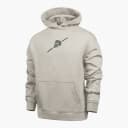
Athletes that submit and have their score accepted by the judges at any point during the challenge will earn the custom t-shirt.
* Rejected scores and athletes that do not follow all posted rules are not eligible to earn a shirt.
This challenge is not part of the overall Rogue Challenge competition. No points are awarded on the overall leaderboard and there are no cash prizes for this challenge
Read More
Mikko's Triangle Challenge
See info below for official standards and to register. Once you’ve completed your challenge attempt, submit your time and video evidence here. Also be sure to use #ryourogue and tag @roguefitness to share your experience!
CHALLENGE AND SCORING
Complete the workout Mikko's Triangle and achieve V2, V4, V6, V8 status depending on how many calories you average on each piece of equipment.
The workout:
10 Rounds
- 1 minute Echo Bike
- 1 minute Rower
- 1 minute SKI
- 1 minute Rest
Final scores will be the lowest average calories hit on a single machine which will determine the status is earned. Earned statuses are:
| V2 | V4 | V6 | V8 | |
|---|---|---|---|---|
| Male | 12 - 14.99 Avg cals | 15 - 17.99 Avg cals | 18 - 19.99 Avg cals | 20+ Avg cals |
| Women | 9 - 11.99 Avg cals | 12 - 14.99 Avg cals | 15 - 16.99 Avg cals | 17+ Avg cals |
Athletes that submit and have their score accepted by the judges at any point during the challenge will earn the custom t-shirt.
* Rejected scores and athletes that do not follow all posted rules are not eligible to earn a shirt.
This challenge is not part of the overall Rogue Challenge competition. No points are awarded on the overall leaderboard and there are no cash prizes for this challenge
DEADLINES AND SUBMISSIONS
Challenge Start Date & Time: January 23 at 12PM ET
Challenge Close Date & Time: No Current End Date
*Scores cannot be updated or added to the leaderboard following the competition close date and time. Please allow sufficient time for completing and submitting your score and video in advance.
SCORE SUBMISSION NOTES
Final scores will be the lowest average calories achieved on a single machine which will determine the status earned.
Competitors will submit their total calories for each piece of equipment:
- Echo Bike: cumulative calories from all 10 rounds
- Rower: cumulative calories from all 10 rounds
- SKI: cumulative calories from all 10 rounds
Final scores will auto calculate and display the lowest calorie average achieved on a machine.
| V2 | V4 | V6 | V8 | |
|---|---|---|---|---|
| Male | 12 - 14.99 Avg cals | 15 - 17.99 Avg cals | 18 - 19.99 Avg cals | 20+ Avg cals |
| Female | 9 - 11.99 Avg cals | 12 - 14.99 Avg cals | 15 - 16.99 Avg cals | 17+ Avg cals |
Example male final score calculation:
- Echo Bike total Calories = 180 cal total / 10 (rounds) = 18 average cals per minute
- Row total Calories = 222 cal total / 10 (rounds) = 22.2 average cals per minute
- SKI total Calories = 154 cal total / 10 (rounds)= 15.4 average cals per minute
- Final/lowest average = SKI 15.4 Cals earning V4 status
Submit Your Scores
- All scores submitting on roguefitness.com, the same webpage used to register.
- Upload video(s) to YouTube
* Videos must be set to public so our judges can view them
* Sound may be turned off if there is licensed music playing in the background
* Videos should be submitted using YouTube and the hyperlink added to the submission on roguefitness.com. - Your score will appear on the Rogue leaderboard after a judge has accepted the submission
- Scores that do not have videos evidence following all rules will be automatically rejected
- If an athlete's score is rejected, the athlete may submit another score by following the same submission process.
Judging and The T-Shirt
- After the judges have had a chance to review the submitted score, athlete's will receive a ruling email stating if their score has been accepted or rejected with a reason why.
- Once the judges accepted your scores and confirmed your status, your earned t-shirt will be processed and added to your earned store for you to redeem.
- Athletes will receive an email once the t-shirt has become available to redeem
- For instructions on how to access your earned store, please see the FAQ page on the Challenge website
- Rejected entries will not receive a t-shirt.
- Competitors can submit a new score if the first score is rejected
Signing up a second time
- Competitors are permitted 1 "approved"/"accepted" score per paid registration. Once the judging team accepts a score, the score is locked for that athlete
- If an athlete has an accepted score and would like to register again to attempt a different status, they may complete an additional registration by following the same steps used during their initial sign-up on roguefitness.com.
VIEW THE COMPLETE ROGUE Mikko's Triangle CHALLENGE RULES (PDF)
Eligibility Standards and Age Groups:
Male (Ages 18 and over):
- V2
- V4
- V6
- V8
Female (Ages 18 and over):
- V2
- V4
- V6
- V8
* This challenge is not part of the "Overall Challenge"
* Athletes will receive their earned shirt once a score is submitted and accepted by the judging staff
* V2 & V4 - Competitors must submit a score but do not need to film or submit video evidence of their attempt.
* V6 & V8 - Competitors are required to follow all rules and requirements as written within this document including filming the attempt and submitting video evidence
To be considered as a competitor, the athlete must register for the challenge at www.roguefitness.com/challenges and follow all workout and video flows as outlined.
Equipment Needed
EQUIPMENT NEEDED TO QUALIFY:
- Visible Timer - this can be a gym timer in the frame, a phone with the timer feature up in frame that can be used to set 1 minute intervals
- Shoes of any style must be worn
- Rogue Echo Bike
* Standard stock Rogue Echo Bike with no modifications, see non-permitted list below - Rogue Echo Rower or C2 RowErg
* Ensure Rogue Echo Rower has most recent firmware update;
* Follow link - Rogue Echo Rower - and select software update and follow instructions to download app
* Any Concept2 RowErg model is acceptable
* No substitute brands are allowed
* Damper can be set on any setting - Rogue Echo SKI or C2 SkiErg
* Ensure Rogue Echo SKI has most recent firmware update;
* Follow link - Rogue Echo Rower - and select software update and follow instructions to download app
* Any Concept2 SkiErg model is acceptable
* Damper can be set on any setting
* No substitute brands are allowed
* Damper can be set on any setting.
Permitted Equipment:
- Gym chalk (magnesium carbonate)
- Mouth Guards
- Nose Strips
- Finger Tape
Not Permitted Equipment:
Echo Bike:
- Straps of any kind
- Clip in pedals or toe straps
- Seats other than the stock Echo Bike
- Wrapping or covering any portion of the bike’s fan wheel in any way including using an Echo Bike wind guard. If you have purchased and installed one, it must to be removed for the Challenge
- Any other modifications made to the stock Rogue Echo Bike
Weighing down or anchoring of any of the equipment in anyway including plates or sandbags stacked on feet / base etc
Any athlete who alters the equipment or movements described in this document or shown in the video standards to gain an unfair advantage may be disqualified from the competition.
Flow & Movements
FLOW
- On 3-2-1-Go the athlete will bike on the Rogue Echo Bike for one minute.
- The athlete MUST get off the bike before the end of the minute and will move to the rower
- The athlete will start to row on the beep for the start of the second minute and continue to row for one minute.
- Before the end of the second minute the athlete MUST get off the rower and move to the SKI
- On the beep starting the third minute of work the athlete will start skiing.
- The athlete will continue to ski for one minute and MUST stop before the beep signaling the end of the third minute of work.
- The athlete will than rest for the fourth minute, which will be the completion of round one.
- The athlete can ready themselves on the echo bike ready to start round 2 but can not start until the minute interval has started.
- The athlete will continue in this manner until 10 rounds of Echo Bike - Rower - SKI - Rest has been completed
Please note: Staying on a piece of equipment longer than the one minute interval, or starting an interval early, will be subject to judging penalties and possibly disqualification.
MOVEMENTS
Echo Bike
- The challenge must be completed on the Rogue Echo Bike only.
- The challenge starts with the athlete either seated or standing on the bike
- Only the athlete can adjust the screen settings on the Echo Bike.
- Hands and feet must stay in contact with the Echo Bike for the duration of the challenge - no hands or feet only cycling.
- Athlete may sit or stand on the bike.
- Athlete should set their seat height prior to the start of their video
Rogue Echo Rower or C2 RowErg
- Ensure the Rower monitor date and time is set and is correct
- Have the monitor set to competition mode
- When the athlete is ready they may grab the handle and begin rowing.
- Damper can be set on any setting, at any time, but only the athlete can change it
Rogue Echo SKI or C2 SkiErg
- Ensure the SKI monitor date and time is set and is correct
- Have the monitor set to competition mode
- When the athlete is ready they may grab the handle and begin rowing.
- Damper can be set on any setting, at any time, but only the athlete can change it
Please note: Staying on a piece of equipment longer than the one minute interval, or starting an interval early, will be subject to judging penalties and possibly disqualification.
Any athlete who alters/modifies the equipment or movements described in this document or shown in the video standards may be disqualified from the competition if deemed by the head judges to give an unfair advantage.
Video Submissions
All video submissions should be uncut and unedited in order to accurately display the performance. Videos shot with a fisheye lens or similar lens may be rejected due to the visual distortion these lenses cause. Sound should be on during the filming. Be sure the athlete has adequate space to safely complete the movement and clear the area of all extra equipment, people, or other obstructions so that the video is clear.
The video should be shot from a 45 degree angle from the machine setup. Critical items that need to be clearly visible on the video:
- Walk around of all machines to show they are the correct brand and have no modifications
- Show the athlete on each piece of equipment during the workout
- Set the rower and SkiErg to comp mode and have all machines set for 40mins.
- Show total calories achieved on the monitor of each piece of equipment at the conclusion of the workout
Next the athlete will need to follow the steps outlined below:
- The submitted video should start with the entire athlete in frame stating their name, the challenge name and their targeted status.
- The camera should then clearly show all equipment the athlete will use during their challenge attempt. All of the following must be shown:
* Walk around of all equipment to show there are no modifications and they fit the permitted equipment list above - Athlete will set the equipment monitors:
* Echo Bike set to 40mins work
* Rower set to comp mode and 40mins work - displaying calories
* SKI set to comp mode and 40mins work - displaying calories - Set your gym timer
* Set your timer to 1 minute intervals and 40 rounds - When ready the athlete can start the timer and start the workout.
- On completion of the workout, the following must be clearly shown on video.
* Echo Bike total calories completed, from main screen
* Rower total calories completed, from main screen or pulled from memory
* SKI Erg total calories completed, from main screen or pulled from memory - Once all data has been shown the video may conclude
Leaderboard
Challenge Leaderboard
Page 1