




I partecipanti non sono tenuti a utilizzare la piattaforma BTWB per nessuna parte delle Rogue Challenges. Tutte le iscrizioni, l'invio dei punteggi e gli aggiornamenti dei punteggi vengono completati direttamente su roguefitness.com.
Tutti i punteggi devono essere inviati su roguefitness.com.
I partecipanti devono tornare alla stessa pagina della sfida in cui si sono registrati e individuare il portale per l'invio dei punteggi sul lato destro dello schermo se si utilizza un computer desktop o portatile, oppure in fondo alla pagina se si utilizza un dispositivo mobile.
Al momento, i partecipanti non possono registrarsi o inviare i punteggi tramite l'app Rogue. Tutte le iscrizioni e l'invio dei punteggi devono essere completate su roguefitness.com utilizzando un dispositivo desktop, laptop o mobile.
Per avere diritto ai premi, i concorrenti devono caricare i loro video di allenamento su YouTube e includere i link dei video con i punteggi inviati. La mancata trasmissione dei link ai video comporterà la perdita del piazzamento. Tutti i video devono essere conformi agli standard e ai requisiti indicati per l'evento specifico.
Gli URL dei video vengono aggiunti durante il processo di invio dei punteggi su roguefitness.com.
Per ulteriori indicazioni sul caricamento di video su YouTube, compresi i video di durata superiore a 15 minuti, visitare la pagina della Guida di Google qui.
Se avete domande su una sfida o avete bisogno di supporto, utilizzate una delle opzioni seguenti:
Opzione 1: Modulo di contatto
- Fare clic su Contattaci nel piè di pagina del sito web di Rogue.
- Selezionare Nessuna risposta alle domande
- Compilare il modulo di contatto con il servizio clienti
- Scegliere ROGUE come motivo di contatto
Opzione 2: e-mail
1. Inviare un'e-mail a challenges@roguefitness.com
Utilizzando una di queste opzioni, la vostra richiesta verrà inoltrata al membro del team più adatto.
I concorrenti possono aggiungere o aggiornare il nome della propria palestra/affiliato seguendo i passaggi indicati di seguito:
- Visita roguefitness.com
- Andate alla pagina della sfida a cui vi siete registrati
- Individuate i vostri dati personali sul lato destro, sopra il riquadro di invio dei punteggi.
- Fare clic su Modifica
- Inserire il nome completo della palestra/affiliato e salvare.
Nota: le modifiche di possono richiedere 15-20 minuti per essere visualizzate nella classifica.
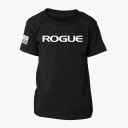
Tutti i concorrenti riceveranno una t-shirt, a condizione che il pacchetto t-shirt sia stato selezionato durante il check-out. Gli atleti possono iscriversi alle divisioni agonistiche o comunitarie e non importa se il punteggio viene presentato/accettato dai giudici per ricevere la t-shirt.
Fanno eccezione le sfide che prevedono espressamente che la T-Shirt debba essere guadagnata (ad esempio, il Club delle 1000 libbre).
Se state acquistando un'iscrizione per conto di un familiare, un amico o uno studente, siete pregati di completare il processo di checkout utilizzando i dati della persona che gareggerà. La registrazione deve essere completata utilizzando il login e l'indirizzo e-mail di Rogue del concorrente. In questo modo si garantisce la creazione di un ID concorrente unico e la visualizzazione del nome e delle informazioni corrette sulla classifica.
Se si desidera inviare un secondo punteggio (migliorato) durante la finestra di gara, è possibile seguire la stessa procedura di invio utilizzata per l'iscrizione iniziale su roguefitness.com. Il sistema registrerà l'ultimo invio e i giudici valuteranno il punteggio finale inviato.
Se avete acquistato il pacchetto T-Shirt, la vostra maglietta verrà spedita entro 3-4 settimane dalla chiusura del concorso. Una volta spedito l'ordine, riceverete un'e-mail con le informazioni di tracciamento.
Nota: Alcune sfide prevedono processi di adempimento diversi, che saranno chiaramente indicati nelle regole.
Esempio - Club 1000lb: Dopo l'approvazione del punteggio da parte del nostro team di giudici, la maglietta verrà aggiunta all'Earned Store con lo stesso ROGUE ID utilizzato per la registrazione alla 1000lb Club Challenge. È necessario richiedere la maglietta nell'Earned Store per avviare la spedizione. Una volta spedita, riceverete un'e-mail con le informazioni di tracciamento.
I concorrenti possono chiedere di cambiare la propria divisione inviando un'e-mail a challenges@roguefitness.com o judging@roguefitness.com.
Panca Piana - Il sedere si stacca dal cuscinetto, non si fissa il bilanciere a 31,9"
Squat - Ripresa da un'angolazione sbagliata o non abbastanza profonda. Assicurarsi di eseguire nuovamente il rack senza assistenza e di non far cadere il bilanciere all'indietro dall'inizio dell'alzata.
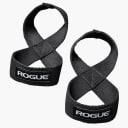
Deadlift - indossare cinghie per il sollevamento pesi o far cadere il bilanciere dall'alto
Nota: Se si eseguono più tentativi di sollevamento, mostrare chiaramente tutte le fasce di sollevamento, cinghie, cinturini che vengono aggiunti/diminuiti al bilanciere.
La quota di iscrizione consente l'accesso alla gara. Gli atleti che seguono con successo tutte le regole e i cui punteggi sono approvati dal team di giudici guadagneranno una t-shirt personalizzata.
Gli atleti che seguono tutte le regole della competizione e i cui punteggi sono stati approvati dal team di giudici guadagneranno una T-Shirt personalizzata. Gli atleti che non presentano un punteggio o il cui punteggio non viene accettato non riceveranno una T-Shirt.
Dopo l'approvazione del punteggio da parte di un giudice, la T-Shirt verrà inviata al "negozio guadagnato" nel vostro account RogueID. Per richiedere la vostra maglietta, seguite i seguenti passaggi:
1. Visitate la homepage di Rogue Fitness per la regione in cui vi siete registrati (USA, AU, CA, ecc.).
2. Cliccate su Logs (Tronchi) nell'angolo in alto a destra e accedete usando il vostro ROGUE ID (lo stesso indirizzo e-mail usato durante la registrazione alla sfida).
3. Cliccate su Dashboard nell'angolo in alto a sinistra.
4. Individuate la sezione Earned Products (Prodotti guadagnati) sotto My Account - Dashboard (Il mio account - Dashboard).
5. La vostra T-Shirt del Club 1000lb guadagnata apparirà lì.
Nota: Verificare che il livello di peso indicato corrisponda a quello per cui si è stati approvati. Se è necessaria una correzione, contattare challenges@roguefitness.com per assistenza.
Gli atleti che presentano un peso totale che non corrisponde alla loro divisione registrata saranno automaticamente spostati nella fascia appropriata dal team di giudici durante la revisione. Una volta accettato un punteggio, la T-Shirt aggiunta all'Earned Store rifletterà il livello del punteggio accettato, non la divisione originariamente registrata.
I concorrenti possono inviare e modificare il proprio punteggio più volte finché non viene approvato dal team di giudici. Per ogni iscrizione pagata viene assegnata una T-Shirt.
Per ogni iscrizione pagata con un punteggio accettato viene assegnata una T-Shirt. Per tentare un punteggio più alto dopo che il punteggio è stato accettato, è necessaria un'iscrizione separata.
I punteggi non vengono visualizzati nella classifica finché il team di valutazione non li ha esaminati e approvati. I punteggi rifiutati non appariranno in classifica.
I concorrenti possono iscriversi e completare un livello di peso solo una volta. I concorrenti possono iscriversi a un secondo o diverso livello di peso seguendo la stessa procedura seguita per il primo tentativo di livello di peso.
I concorrenti non hanno diritto a rimborsi per i punteggi rifiutati a causa del mancato rispetto delle regole, degli standard di movimento o della presentazione dei punteggi in tempo.
Seguite i passaggi indicati nel regolamento della Sfida:
Fase 1: revisione
- Leggere tutte le regole, gli standard di movimento e i requisiti video pubblicati in ogni scheda di https://www.roguefitness.com/1000lb-club-challenge-registration.
- Consultate la pagina delle FAQ sulla sfida, che contiene utili istruzioni passo-passo e immagini su come inviare il vostro punteggio a https://www.roguefitness.com/challenges/faqs.
Fase 2: Scegliere il livello di peso desiderato e registrarsi
- Registrati su roguefitness.com
- Accedere o creare il proprio account gratuito ROGUE
- Confermare che le informazioni personali sono state completate e visualizzate correttamente durante il processo di registrazione.
Fase 3: Competere
- Completare la sfida seguendo tutte le regole, gli standard di movimento e i requisiti di presentazione del video.
- Per chi gareggia in gruppo, consultare la sezione del regolamento speciale intitolata "Palestre/Competitori che gareggiano in gruppo" nel PDF del regolamento e sul sito web, che illustra i passaggi per completare la sfida.
Fase 4: invio del punteggio
- Invia i tuoi punteggi e i link ai video di YouTube su roguefitness.com
- Il vostro punteggio non apparirà in classifica fino a quando non avrete una decisione di punteggio accettata da un giudice.
Fase 5: Giudizio e T-Shirt
- Dopo che i giudici hanno avuto la possibilità di esaminare i punteggi inviati, gli atleti riceveranno un'e-mail di decisione che indica se il loro punteggio è stato accettato o rifiutato con una motivazione.
- Una volta che i giudici hanno accettato i punteggi e i video, la t-shirt guadagnata verrà elaborata e aggiunta al negozio guadagnato per essere riscattata.
* Gli atleti riceveranno un'e-mail quando la t-shirt sarà disponibile per il riscatto
* Per istruzioni su come accedere al negozio guadagnato, consultare la pagina 1000lb FAQ qui. - I lavori respinti non riceveranno una t-shirt.
*I concorrenti possono presentare un nuovo punteggio se il primo punteggio viene rifiutato.
IMPORTANTE:
* Le T-Shirt si guadagnano solo se si rispettano tutte le regole, gli standard di movimento e i requisiti di presentazione dei video. I punteggi senza prove video non saranno accettati
* Gli atleti possono cambiare divisione utilizzando il menu a tendina nella schermata della sfida sull'app BTWB se decidono di scegliere un livello diverso da quello per cui si sono registrati.
* Le T-Shirt saranno spedite dopo essere state riscattate nel negozio guadagnato in seguito all'accettazione del punteggio da parte del nostro staff di giudici.
* Le normali tasse e tariffe di spedizione si applicano alla T-Shirt se questa viene ottenuta soddisfacendo tutti i requisiti elencati di seguito. I concorrenti riceveranno una fattura separata per queste spese una volta che si saranno qualificati per una T-Shirt.
* I concorrenti non hanno diritto a rimborsi per i punteggi rifiutati a causa del mancato rispetto delle regole, degli standard di movimento o della presentazione dei punteggi in tempo.
* Una T-Shirt per ogni quota di iscrizione pagata.
Il processo di valutazione può durare diverse settimane, a seconda del volume delle candidature.
Una volta che i giudici hanno esaminato una candidatura, gli atleti riceveranno un'e-mail che indica se il loro punteggio è stato accettato o rifiutato. In caso di rifiuto, l'e-mail includerà il motivo.
Quando il punteggio e il video vengono accettati, la T-Shirt guadagnata viene aggiunta all'Earned Store dell'atleta sotto il suo ROGUE ID e viene inviata una notifica via e-mail.
I lavori rifiutati non danno diritto alla T-Shirt; tuttavia, gli atleti possono presentare un altro punteggio o tentativo finché la finestra di gara rimane aperta.
I concorrenti possono eseguire questa sfida in gruppo. I gruppi che completano la sfida insieme possono modificare gli standard video per seguire le linee guida qui riportate:
- Iniziate il video presentando tutti coloro che parteciperanno alla sfida.
- Mantenere la data/ora visualizzata sullo sfondo durante l'intera sessione o chiedere a ogni persona di mostrare la data/ora prima di ogni tentativo.
- Prima di ogni sollevamento, l'addetto al sollevamento deve mostrare alla telecamera la data e l'ora, dichiarare il proprio nome e l'importo del sollevamento.
- Quando si inviano i punteggi, l'atleta deve aggiungere nel campo note l'ora di ciascun video del tentativo più pesante che sta inviando nella sfida, in modo che i giudici possano facilmente trovare il tentativo da visualizzare/giudicare.
- Durante l'invio del punteggio, assicurarsi di includere il nome della palestra in cui si è eseguita la sfida.
Le scarpe da sollevamento olimpiche tradizionali sono ammesse, ma non se vengono modificate in modo da elevare ulteriormente i talloni.
Sì, è possibile utilizzare più Bilancieri, a condizione che siano tutti ripresi dalla telecamera secondo i dettagli dell'evento e che NON si tratti di bar speciali.
Questa sfida rimarrà aperta e al momento non ha una data di fine prevista.
I partecipanti possono utilizzare sia le libbre che i chilogrammi. Quando si invia il punteggio, assicurarsi di selezionare l'unità di misura corretta. Se si utilizzano dischi da chilogrammo, inserire il punteggio in chilogrammi (1 kg = 2,204LB).
La classifica convertirà automaticamente i punteggi in chilogrammi in chili per la visualizzazione.
No, non è richiesto di pesare ogni peso o il bilanciere, ma è necessario mostrare chiaramente i pesi utilizzati e misurare l'ampiezza della presa come da regolamento.
No.
I video presentati per il Club 1000lb devono essere registrati appositamente per la sfida e devono soddisfare tutti gli standard e i requisiti della sfida indicati nel regolamento. I video di competizioni personali non possono essere presentati, in quanto non vengono eseguiti nelle condizioni controllate richieste per la sfida.
No - il partecipante può completare gli ascensori nell'ordine che preferisce, purché tutti gli elementi necessari siano mostrati nei video inviati.
L'ordine di sollevamento consigliato (ma non obbligatorio) è:
- Squat
- Panche
- il Deadlift